Integrating FedEx into a Legacy ERP System: A Field Report
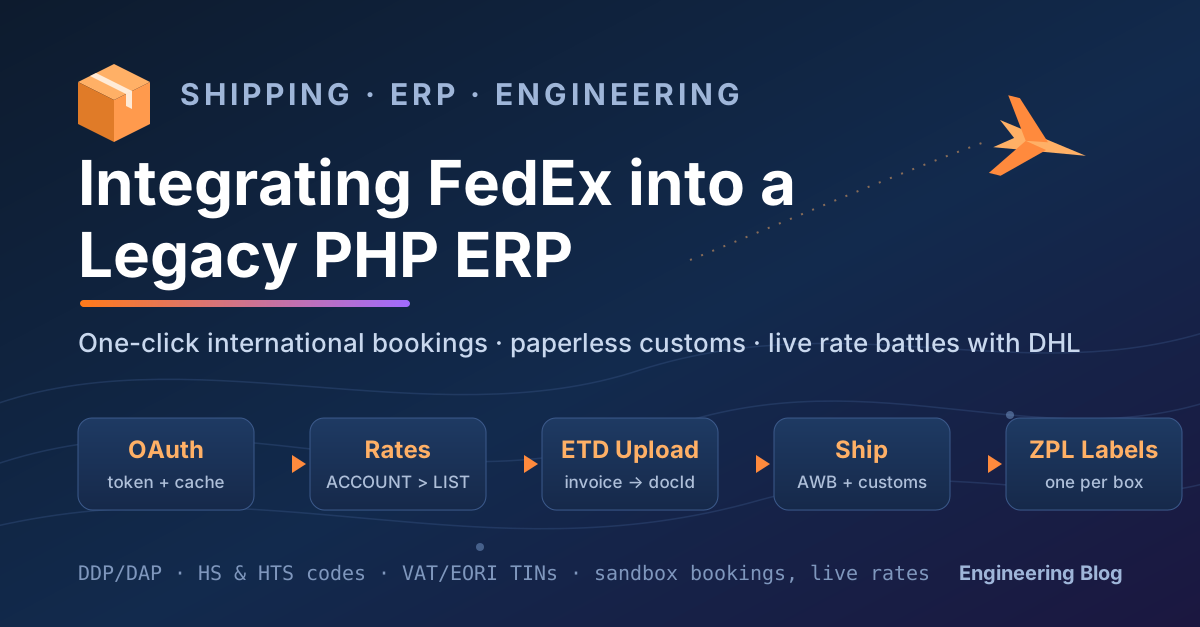
How we added a second international courier — OAuth, live rates, paperless customs, per-box thermal labels — to the procedural PHP system that ships performance car parts to more than 100 countries. No framework, no rewrite, no downtime.
- PHP
- REST APIs
- Logistics
- Customs & ETD
- Legacy Systems
Contents
The Business Context
Our ERP is the beating heart of the company. It was built in-house, has grown alongside the business for years, and runs everything: quoting, sales, purchasing, stock, warehouse goods-out, shipping, invoicing and reporting. It is a proper legacy system — unapologetically procedural PHP, no framework, no ORM, no build pipeline. It is also astonishingly reliable, because every line of it exists to solve a problem the business actually had.
For years, every international express shipment left through a single courier, integrated back in the era of XML web services. That integration served us well, but running an international parts operation through one carrier eventually creates three quiet problems:
-
Pricing pressure only works with an alternative. Negotiated carrier rates are reviewed periodically, and the negotiation goes very differently when the carrier knows you have no second option live in production. A working alternative on the shipping screen is leverage you can measure in percentage points.
-
No single carrier wins every lane. Express pricing varies enormously by destination, weight band and service level. A carrier that is unbeatable into the Middle East may be mid-pack into the US. With one integration, you never see the money you're leaving on the table; with two, every shipment becomes a small auction.
-
Operational resilience. When your entire outbound operation depends on one carrier's API, one carrier's customs relationship and one carrier's network, any disruption — technical or industrial — stops your business. A second fully-integrated courier converts a crisis into a dropdown selection.
So we integrated FedEx, end to end: live rate quotes, one-click booking, electronic customs documents, warehouse label printing, delivery tracking and cost reconciliation. This post is a detailed account of what that actually involved — the data, the decisions, the FedEx API's quirks, and the testing that made us comfortable pressing the button on a Monday morning.
Phasing: Ship Something Narrow First
A courier touches almost every part of an ERP: quoting, checkout, order conversion, warehouse handoff, booking, labels, tracking, cost invoices, margin reports. Integrating all of it at once is how projects stall.
We split the work into two phases:
-
Phase 1 — the shipping screen. The operations team can price and book a FedEx shipment for any order, with full customs documentation and labels, from the same screen they already use. Everything upstream (quoting, website checkout) keeps working exactly as before. This is the phase this post covers, and it was scoped deliberately so a small trial — around fifty orders — could run with real customers while the rest of the business felt nothing.
-
Phase 2 — the demand side. Quote-time carrier comparison, website checkout pricing, and automatic selection of the cheaper courier per shipment. This builds on phase 1's rate infrastructure but carries far more commercial risk, so it waits until the trial has proven the foundations.
The discipline of "narrow first" shaped several technical decisions below, most importantly the one about doing no harm to the incumbent courier.
Architecture: A Second Courier, Not a Second System
The guiding principle: the rest of the ERP should not know which courier it is talking to.
We built the FedEx integration as a self-contained module with a deliberately boring surface: get me prices for this shipment, book this shipment, track this consignment, cancel this consignment. Whatever happens inside — JSON, OAuth, multipart uploads — the answers come back in the same neutral shape the rest of the system already understands from the existing courier: a tracking number, a cost, a label, a success flag, an error message.
That neutrality bought us the property we cared about most: zero regression risk to the incumbent. Historical bookings are marked with which courier produced them, and everything downstream — the shipping screen, document printing, tracking, reporting — branches on that marker. Legacy records take the legacy path, byte for byte, forever. We never migrated a single historical row, and the old courier's code path was not modified. During testing we verified this the blunt way: parse the same historical bookings before and after the change and diff the output. Identical.
The transport layer underneath handles four concerns for every call, uniformly:
- Authentication — OAuth token acquisition and caching (more below).
- HTTP — timeouts, TLS verification, and handling FedEx's habit of returning compressed error bodies (more below, painfully).
- Auditing — every request and response, success or failure, is written to an audit log with a timestamp and the acting user. When a broker or a customer calls about a shipment weeks later, the exact conversation with the carrier is one query away.
- Redaction — credentials and account numbers are stripped from the audit log before writing. This turned out to be subtler than it sounds; there's a section on it.
Authentication, Environments — and Why There Are Two Account Numbers
FedEx's REST platform uses OAuth 2.0 client credentials: exchange an API key and secret for a bearer token at POST /oauth/token — on https://apis.fedex.com for production, https://apis-sandbox.fedex.com for the sandbox — then use the token on every call and refresh before it expires. Straightforward — the only design decision is caching. We cache tokens both in memory (for the current request) and in the database (across requests and across the many separate processes of a PHP application), and refresh a few minutes early so a token never expires mid-booking.
The more interesting topic — and the question every reviewer asked — is why the configuration holds two complete credential sets, with two different FedEx account numbers.
Account one: the sandbox. FedEx's developer sandbox is a full replica of the production API surface with its own credentials and its own account number. Requests are validated for real — malformed customs data, missing fields, and invalid combinations are rejected exactly as production would reject them — and successful bookings return real-looking tracking numbers and genuine printable labels. But nothing physical happens: no truck is dispatched, no invoice is raised, nothing enters the FedEx network. This is where every booking test lives. During development and QA we created dozens of sandbox shipments a day, exercised every failure path, cancelled bookings, and hammered edge cases with total impunity. The environment detection is automatic: development and staging systems select the sandbox credentials, production selects the live ones, and code changes are never required to switch.
Account two: production. The real, negotiated account. Its number rides along on every live booking as the payor for shipping charges (and for duties, on shipments where we pay them), and it is the thing FedEx's invoices reconcile against.
So far, so conventional. The genuinely interesting decision is the deliberate exception we carved out:
Rate lookups (POST /rate/v1/rates/quotes) use the production account from every environment — including development. Here's why. The sandbox quotes generic, list-like prices; only the production account returns your negotiated rates — and those two numbers can differ by multiples, not percentages. Our rate lookups exist to price real quotes and real checkout baskets. A development environment testing against sandbox pricing would be testing the wrong numbers: layouts would look right, flows would pass, and the commercial logic — margins, courier comparisons, customer prices — would be validated against fiction. Since a rate request is a pure read (nothing is booked, nothing is billed, no shipment exists), pointing it at production is safe. So the rule became: reads may hit production from anywhere; writes touch only the sandbox outside production. It's a one-line policy that eliminated an entire class of "worked in staging, wrong on live" pricing bugs.
That policy immediately earned its keep. When you ask the FedEx rate API for prices, you can request both the list rate and your account (negotiated) rate, and FedEx returns one entry per rate type — in no guaranteed order. On the sandbox, both entries carry the same number, so any parser looks correct. Against the production account they diverge, and a parser that naively takes the first entry will, some of the time, quote customers the higher list price with nobody noticing — the response parses cleanly, the page renders, every test passes. We caught this only because we audited the actual payloads coming back from live rate calls rather than trusting green checkmarks. The parser now explicitly seeks out the negotiated entry.
Sandbox parity hides real-money bugs. Audit the payloads, not the pass/fail.
The Customs Declaration: Where the Real Work Lives
An international express booking is best understood as a customs declaration with a parcel attached. The booking itself is one call — POST /ship/v1/shipments — and the HTTP integration took days. Making the data complete, truthful and consistent — and refusing to ship when it isn't — took most of the project, and it is what actually determines whether shipments glide through customs or sit in a broker's queue generating phone calls.
Physical reality: packages
Weights and dimensions on the booking come from the warehouse's packing confirmation, not from the product catalogue. When the warehouse packs a shipment, their system reports back exactly what exists: how many boxes, and each box's measured weight and dimensions. Catalogue figures are estimates for planning; carriers bill and customs authorities assess against reality, so reality is what we declare. Every booking carries the true per-box figures, and multi-box shipments declare every box individually.
The commodity lines
Each distinct part on the shipment becomes one commodity line in the declaration, carrying:
-
A description — normalised to plain uppercase ASCII. Accents, symbols and line breaks are stripped, because carrier label printers and downstream customs systems handle anything beyond basic ASCII unpredictably, and a mangled description is a clearance query waiting to happen.
-
A harmonised tariff code — the heart of the declaration. Customs authorities classify goods against the Harmonized System, and the classification determines the duty rate. There's a wrinkle that shapes the data model: the United States classifies against its own ten-digit Harmonized Tariff Schedule (HTS), while most of the world accepts the shorter international HS code. So every part in our catalogue carries both codes, maintained by the purchasing team as parts are onboarded, and the integration selects the correct one per destination automatically. Sending an HS code where an HTS code is required is exactly the kind of quiet mismatch that turns into clearance delays.
-
A country of origin — where the part was manufactured, not where it ships from. Duty rates, trade agreements and import restrictions all hinge on origin; a genuine Italian-made component and a UK-shipped one are different things in a customs computer.
-
Quantity, unit price and line value — declared in the currency of the sale, so the customs declaration always agrees with the commercial invoice the customer holds. A declaration in one currency and an invoice in another is a discrepancy an inspector is entitled to question.
-
A line weight — allocated per part, with a carrier-specific twist described below.
The policies that make the data trustworthy
The data is only as good as the rules that police it. Three of them do the heavy lifting:
Hard-fail, but fail usefully. If any part on a shipment is missing its tariff code, its country of origin, or a usable description, the booking is blocked before a single byte reaches FedEx — and the error message lists every deficient part with every missing attribute, in one screenful. Our first version reported one problem at a time; an operator would fix a part, rebook, hit the next error, fix, rebook, repeat. Collecting everything into a single actionable list turned a frustrating loop into one round trip to the parts data and one rebooking. Small change, outsized effect on how much the operations team trusts the system.
Never under-declare, even by accident. The most dangerous failure mode in customs data isn't a rejection — it's a silent omission. An early version of the commodity-building logic could quietly drop a part that had no tariff record: the booking would succeed, the declaration would be short one line, and the declared value would no longer match the invoice. That's not a bug, that's a compliance incident. The fix was two-layered: the lookup was restructured so an unclassified part surfaces as an error instead of vanishing, and a final independent guard counts the physical part lines against the customs lines and refuses to book if they disagree — regardless of why. An under-declared shipment is a problem with a customs authority; a refused booking is a Tuesday.
Reconcile weights the way the carrier demands. Our previous courier never objected if the commodity line weights summed to slightly more than the measured package weight — per-part catalogue weights versus a measured box will always disagree by grams. FedEx rejects the entire booking for it, with a terse "total commodities weight is greater than the package weight." Our first real-world attempt died on a ten-gram rounding difference on a sub-kilo parcel. The fix: when line weights overshoot the measured total, scale every line down proportionally to sit just under it. The declaration stays internally consistent, relative weights stay honest, and the customs value — the figure that actually matters — is untouched. A lesson in never assuming two carriers validate the same way.
Importer identifiers
Most clearance delays are really missing-paperwork delays, and the paperwork most often missing is the importer's identity. So we front-load it into the booking wherever the rules require it:
-
High-value US shipments cross into formal-entry territory at a regulatory threshold, where US customs wants the importer's federal tax identifier. When an order crosses that line, the customer's tax ID — collected and stored against their account — rides along on the booking automatically.
-
European business customers clear fastest when their VAT number and EORI number (the EU's importer registration) are on the shipment from the start. For business accounts shipping into the EU and neighbouring markets, both identifiers are attached automatically, typed correctly as national and union-level registrations.
And a lesson in data archaeology: any CRM field that has existed for years contains things no one expects. Ours contained, among the legitimate registration numbers, literal placeholder text — the words "No EORI" typed into the EORI field by a well-meaning human long ago. Transmitting the string "No EORI" to a customs broker as a registration number is materially worse than transmitting nothing. The integration now validates that an identifier is structurally plausible before sending it, and the placeholder records went to the data team for cleanup. When you wire old CRM fields to a new external system, audit the values, not just the schema — the schema says "text field"; the values say "twenty years of human creativity."
Incoterms: who pays the duties
Every international order carries an incoterm that decides who pays import duties and taxes — the seller (DDP, Delivered Duty Paid: the customer's price included everything) or the buyer (DAP, Delivered At Place: duties are collected on arrival). The booking must state this, and FedEx validates the internal consistency: a duties-paid shipment must name a payor account; a duties-unpaid one must not. Rather than let a mismatched combination travel to the API and come back as a cryptic carrier error, we validate the alignment ourselves before the call and fail with a message a human can act on. As a rule: anything the carrier will reject, reject first, in your own words.
Tying it together: references
Every booking carries two references — our internal shipment identifier, and the commercial invoice number, sent in the API's dedicated invoice-reference field. That second one is quietly valuable: it ties the physical consignment to the exact invoice inside FedEx's own clearance systems. When a broker calls asking which invoice covers a given air waybill, the answer is already on their screen, and one entire category of clearance phone call stops happening.
Paperless Customs: Electronic Trade Documents
The single most valuable capability in the project — and the most sparsely documented.
The traditional ritual for an international express parcel is printing the commercial invoice in triplicate and taping it to the box in a plastic wallet. FedEx's Electronic Trade Documents (ETD) replaces that: the invoice PDF is transmitted electronically alongside the booking and presented to customs digitally. No printing, no plastic wallets, no "the paperwork fell off somewhere over the Atlantic."
The catch is that the mechanics are genuinely non-obvious. You cannot simply embed your PDF in the booking request. The flow is:
- Upload the invoice first to FedEx's Trade Documents API — a separate pre-shipment upload to
POST /documents/v1/etds/upload. - Receive back a document identifier.
- Reference that identifier in the actual booking, alongside a flag electing the electronic-trade-documents service.
Order matters — the document must exist in FedEx's systems before the shipment that cites it. Our booking flow uploads the invoice, takes the identifier, and only then books, as a single logical operation from the operator's point of view.
Three traps, in ascending order of hair loss:
-
The upload API lives on a different host. Not a different path — a different hostname from every other FedEx API:
https://documentapi.prod.fedex.comin production, and (counter-intuitively)https://documentapitest.prod.fedex.com/sandboxfor testing — yes, the sandbox is a path on a hostname containing "prod". The same OAuth token fromapis.fedex.comis happily accepted by both hosts, which removes the one error message that would have told you that you're knocking on the wrong door. -
A one-letter casing discrepancy between the docs and the API. The upload requires a workflow name, and the documentation's prose spells it with a capital letter the API rejects — with a generic invalid-input error that points nowhere near the actual problem. The accepted spelling differs by exactly one lowercase character. We found it by brute-force experimentation against the sandbox. When an API rejects a request you've quadruple-checked against the docs, start suspecting the docs.
-
Knowing when not to attach. A destination appearing on FedEx's paperless-capable list is necessary but not sufficient. Domestic shipments have no customs and must not carry a commercial invoice at all — and our home country appears on the capability list, so a naive "is the destination paperless-capable?" check would attach invoices to domestic parcels. The final gate: international, and an invoice exists, and the destination supports paperless. Our previous courier integration had learned this same lesson years earlier; we ported the scar tissue.
One pleasant discovery: FedEx never echoes your document back, and nothing needs it to. The upload returns only metadata; the booking returns only labels. The ERP already holds the invoice it generated — the carrier is a delivery channel for it, not a store of record.
Labels: One Thermal Stream Per Box
Our warehouse prints shipping labels on industrial Zebra thermal printers, which speak ZPL — a plain-text page description language where every label is a self-delimiting block of commands.
Here the two couriers differ structurally. The incumbent returns one combined label image per shipment. FedEx returns one label per package, each with its own child tracking number under the master air waybill. For a three-box consignment: one master tracking number, three piece-level tracking numbers, three labels.
ZPL's self-delimiting structure makes the multi-piece answer elegant: concatenate the decoded label blocks into a single stream, and a Zebra printer renders them as sequential labels — one per box, each with its own barcode and piece number. The warehouse pipeline that existed for the previous courier — receive stream, transmit to warehouse, print — needed zero changes. Every box gets its own correctly-numbered label, and each piece is independently trackable, which matters enormously the day one box of three goes missing in a sort facility.
Tracking and Cancellation
Tracking (POST /track/v1/trackingnumbers) runs as a scheduled background job in two passes: newly-shipped consignments are registered with an estimated delivery date pulled from the carrier, then pending ones are re-checked until a delivered event (with signature data, where available) arrives — feeding delivery confirmations to the CRM and, where enabled, notifications to customers.
Two operational lessons:
-
Track is a separately-licensed product. Having Ship and Rates approved on a FedEx developer project does not grant Track access — it returns authorization failures until explicitly enabled, per project, for sandbox and production separately. Plan the paperwork lead time.
-
Design tracking to fail open, not closed. Our first version treated any tracking failure as terminal: mark the shipment as processed, move on. Combined with the licensing surprise above, that behaviour would have quietly and permanently excluded every early shipment from tracking — an authorization error today says nothing about tomorrow. The corrected logic distinguishes transport-level failures (auth, server errors, timeouts), which leave the shipment queued for retry, from a definitive "this tracking number has no data," which is genuinely terminal. In a background job, the difference between "failed" and "failed permanently" deserves explicit code.
Cancellation — bookings get cancelled constantly in a real operation (repacks, address changes, consolidations) — held two surprises: the endpoint is PUT /ship/v1/shipments/cancel, expecting the HTTP PUT verb where every other operation posts (POST is met with a flat method-not-allowed), and the success signal lives in a modern response field with no resemblance to the legacy SOAP-era status structure that most community code samples still parse. Both were discovered empirically on the sandbox; both now have their own place in our HTTP layer.
Operational Safety
The kill switch
A courier integration touches money, physical goods and customer promises, so it launched behind a global feature switch: one configuration value, checked at every FedEx touchpoint — booking, price lookups, the shipping-screen button, auto-booking, cost reconciliation, menu links. Switched off, the integration disappears from the application within seconds, no deployment required, and the business continues on the incumbent courier as if nothing had ever changed.
Two design details earned their keep:
-
Off means "no new activity," not amnesia. Existing FedEx bookings remain fully visible — labels reprint, tracking numbers display, deliveries keep tracking to completion. The switch stops new bookings; it doesn't orphan live parcels in the network.
-
Test the switch with the value a stressed human will actually type. Our pre-launch QA discovered that the intuitive "off" values — the ones anyone would reach for during an incident — were being silently swallowed by a long-standing quirk in how the configuration layer interpreted falsy-looking strings, leaving the integration enabled while appearing disabled. Every gate, every consumer, was individually correct; the failure lived in the seam between a config file's parsing rules and a language's notion of truthiness, and it was invisible unless you tested with exactly the wrong value. We standardised on an unambiguous switch value, documented it at the point of use, and re-verified every gate end-to-end with it. If your emergency controls have never been tested with the value people will actually type at 2 a.m., they have not been tested.
Audit logging — and the art of redaction
Every API interaction, successful or failed, is logged: the request, the response, the timestamp, the acting user. Failures especially — a failed call with no log entry is a support ticket with no evidence.
The subtle part was scrubbing credentials from those logs. Account numbers turn out to appear in multiple places within a single booking request — the top-level request, and separately inside each payment structure (shipping charges have a payor; duties, when we pay them, have another). Our redaction initially covered the spots we knew about; the one we didn't was found not by re-reading the redaction code but by searching the logs for the account number itself. That's now standing practice, and my strongest recommendation in this section: don't audit the redaction function — grep the output for your own secrets. The logs are the ground truth of what you're actually storing.
Compressed error responses
One transport-layer trap worth its own paragraph: FedEx can return error responses compressed, even when the request didn't advertise support for it. If your HTTP client doesn't negotiate and decompress encodings, every successful call works flawlessly — and the moment something fails, the one time you desperately need the error message, your logs fill with binary noise. Configure decompression before you need it.
How We Tested It
The testing approach mattered as much as the integration, and one decision mattered most: the second QA pass existed to disprove the first.
-
Sandbox everything, at two levels. First, a component-level harness exercised the integration classes directly against the sandbox: authentication, token caching, rates, document upload, multi-piece booking, cancellation, log auditing. Then a second, independent pass drove the actual application — real pages, over HTTP, with real historical shipment data — through every scenario, explicitly instructed to assume the first pass was wrong and to try to break its conclusions. It found meaningful issues the component pass had marked green, including the kill-switch value problem and the tracking fail-closed behaviour. If your re-test is run in the spirit of confirming the first one, it's a formality; run it as an adversary.
-
Negative paths, verified two ways. Every "this must block the booking" scenario — missing tariff codes, missing origins, blank descriptions, unsupported services, absent packing data — was checked for the right error message and for the absence of any new entry in the API audit log. A validation that blocks the screen but still fires the API call is a bug you cannot see from the browser; counting carrier calls before and after each negative test makes it visible.
-
Regression by construction, then by measurement. The incumbent courier's path was untouched by design — and then verified anyway, by parsing historical bookings before and after and comparing output byte for byte.
-
Payload audits over pass/fail. The negotiated-versus-list rate ordering bug, the account number hiding in a third corner of the request, the sandbox's flattering price parity — none of these fail a status-code assertion. They were caught by humans reading actual request and response bodies with suspicion. Budget time for it; it's where the expensive bugs live.
Under the Hood: Endpoints and Example Payloads
Each endpoint above is introduced in its own section; this appendix gathers the full surface into one reference table, with representative payloads. Everything below uses fictional data — addresses, identifiers, values and tracking numbers are illustrative, and account numbers are placeholders. The endpoints and schemas themselves are FedEx's public developer platform.
The endpoints
| Purpose | Production | Sandbox (dev/staging) |
|---|---|---|
| OAuth token | POST https://apis.fedex.com/oauth/token | POST https://apis-sandbox.fedex.com/oauth/token |
| Rate quotes | POST https://apis.fedex.com/rate/v1/rates/quotes | POST https://apis-sandbox.fedex.com/rate/v1/rates/quotes |
| Create shipment | POST https://apis.fedex.com/ship/v1/shipments | POST https://apis-sandbox.fedex.com/ship/v1/shipments |
| Cancel shipment | PUT https://apis.fedex.com/ship/v1/shipments/cancel | PUT https://apis-sandbox.fedex.com/ship/v1/shipments/cancel |
| Tracking | POST https://apis.fedex.com/track/v1/trackingnumbers | POST https://apis-sandbox.fedex.com/track/v1/trackingnumbers |
| ETD document upload | POST https://documentapi.prod.fedex.com/documents/v1/etds/upload | POST https://documentapitest.prod.fedex.com/sandbox/documents/v1/etds/upload |
Note the last row carefully — it is the trap described in the ETD section. The Trade Documents Upload API lives on its own hostname in both environments, and the sandbox variant is a path on a prod hostname, which reads like a typo and isn't. Every other API shares the two hosts in the first five rows. The same bearer token works across both hosts.
Also note the cancel verb: PUT, alone among the operations.
OAuth token request
Standard client-credentials, form-encoded:
POST /oauth/token HTTP/1.1
Host: apis.fedex.com
Content-Type: application/x-www-form-urlencoded

grant_type=client_credentials&client_id=YOUR_API_KEY&client_secret=YOUR_SECRET
The response carries access_token and expires_in (typically an hour); we cache and refresh a few minutes early.
Rate request (international, trimmed)
{
  "accountNumber": { "value": "XXXXXXXXX" },
  "rateRequestControlParameters": {
    "returnTransitTimes": true,
    "rateSortOrder": "SERVICENAMETRADITIONAL"
  },
  "requestedShipment": {
    "shipper": {
      "address": {
        "city": "Barnsley",
        "postalCode": "S70 0XX",
        "countryCode": "GB"
      }
    },
    "recipient": {
      "address": {
        "city": "Memphis",
        "stateOrProvinceCode": "TN",
        "postalCode": "38017",
        "countryCode": "US"
      }
    },
    "shipDateStamp": "2026-07-14",
    "pickupType": "USE_SCHEDULED_PICKUP",
    "packagingType": "YOUR_PACKAGING",
    "rateRequestType": ["LIST", "ACCOUNT"],
    "preferredCurrency": "GBP",
    "requestedPackageLineItems": [
      {
        "weight": { "units": "KG", "value": 5.0 },
        "dimensions": { "length": 40, "width": 30, "height": 20, "units": "CM" }
      }
    ],
    "customsClearanceDetail": {
      "dutiesPayment": { "paymentType": "SENDER" },
      "documentContent": "NON_DOCUMENTS",
      "customsValue": { "amount": 500.00, "currency": "GBP" },
      "commodities": [
        {
          "description": "CAR BRAKE PAD SET",
          "quantity": 1,
          "quantityUnits": "PCS",
          "weight": { "units": "KG", "value": 5.0 },
          "unitPrice": { "amount": 500.00, "currency": "GBP" },
          "customsValue": { "amount": 500.00, "currency": "GBP" }
        }
      ]
    }
  }
}
Two things worth repeating from earlier sections: rateRequestType asks for both list and negotiated prices, and the response returns one entry per type in no guaranteed order — parse by rateType, never by position. And international rate requests must include a customsClearanceDetail; omit it and FedEx answers "Customs clearance detail cannot be null."
ETD document upload (multipart)
The commercial invoice is uploaded before booking, as multipart/form-data with two parts — a JSON document part describing the file, and the binary attachment:
{
  "workflowName": "ETDPreshipment",
  "carrierCode": "FDXE",
  "name": "invoice-SHIP0000001.pdf",
  "contentType": "application/pdf",
  "meta": {
    "shipDocumentType": "COMMERCIAL_INVOICE",
    "originCountryCode": "GB",
    "destinationCountryCode": "US"
  }
}
That workflowName value is the one-lowercase-letter trap from the ETD section: the API accepts exactly ETDPreshipment. The response you care about is tiny:
{
  "output": {
    "meta": {
      "documentType": "CI",
      "docId": "a1b2c3d4e5f60708",
      "folderId": "..."
    }
  }
}
Keep the docId — it goes into the booking next.
Create shipment (the big one — international, DDP, with ETD and TINs)
{
  "accountNumber": { "value": "XXXXXXXXX" },
  "labelResponseOptions": "LABEL",
  "requestedShipment": {
    "shipDatestamp": "2026-07-14",
    "serviceType": "FEDEX_INTERNATIONAL_PRIORITY",
    "packagingType": "YOUR_PACKAGING",
    "pickupType": "USE_SCHEDULED_PICKUP",
    "shipper": {
      "contact": {
        "personName": "Dispatch Team",
        "companyName": "Example Parts Ltd",
        "phoneNumber": "441000000000"
      },
      "address": {
        "streetLines": ["1 Example Business Park"],
        "city": "Barnsley",
        "postalCode": "S70 0XX",
        "countryCode": "GB"
      }
    },
    "recipients": [
      {
        "contact": {
          "personName": "Jane Example",
          "companyName": "Example Motors Inc",
          "phoneNumber": "19015550100"
        },
        "tins": [
          { "tinType": "FEDERAL", "number": "12-3456789" }
        ],
        "address": {
          "streetLines": ["100 Example Parkway", "Suite 5"],
          "city": "Collierville",
          "stateOrProvinceCode": "TN",
          "postalCode": "38017",
          "countryCode": "US"
        }
      }
    ],
    "shippingChargesPayment": {
      "paymentType": "SENDER",
      "payor": {
        "responsibleParty": {
          "accountNumber": { "value": "XXXXXXXXX" }
        }
      }
    },
    "labelSpecification": {
      "labelFormatType": "COMMON2D",
      "imageType": "ZPLII",
      "labelStockType": "STOCK_4X6"
    },
    "customerReferences": [
      { "customerReferenceType": "CUSTOMER_REFERENCE", "value": "SHIP0000001" },
      { "customerReferenceType": "INVOICE_NUMBER", "value": "INV0000001" }
    ],
    "totalPackageCount": 2,
    "requestedPackageLineItems": [
      {
        "sequenceNumber": 1,
        "groupPackageCount": 1,
        "weight": { "units": "KG", "value": 5.0 },
        "dimensions": { "length": 40, "width": 30, "height": 20, "units": "CM" }
      },
      {
        "sequenceNumber": 2,
        "groupPackageCount": 1,
        "weight": { "units": "KG", "value": 2.4 },
        "dimensions": { "length": 30, "width": 25, "height": 15, "units": "CM" }
      }
    ],
    "customsClearanceDetail": {
      "dutiesPayment": {
        "paymentType": "SENDER",
        "payor": {
          "responsibleParty": {
            "accountNumber": { "value": "XXXXXXXXX" }
          }
        }
      },
      "documentContent": "NON_DOCUMENTS",
      "totalCustomsValue": { "amount": 750.00, "currency": "USD" },
      "commercialInvoice": {
        "shipmentPurpose": "SOLD",
        "termsOfSale": "DDP"
      },
      "commodities": [
        {
          "description": "CAR BRAKE PAD SET",
          "harmonizedCode": "8708.30.5090",
          "countryOfManufacture": "IT",
          "quantity": 2,
          "quantityUnits": "EA",
          "numberOfPieces": 2,
          "unitPrice": { "amount": 250.00, "currency": "USD" },
          "customsValue": { "amount": 500.00, "currency": "USD" },
          "weight": { "units": "KG", "value": 4.8 }
        },
        {
          "description": "OIL FILTER",
          "harmonizedCode": "8421.23.0000",
          "countryOfManufacture": "DE",
          "quantity": 5,
          "quantityUnits": "EA",
          "numberOfPieces": 5,
          "unitPrice": { "amount": 50.00, "currency": "USD" },
          "customsValue": { "amount": 250.00, "currency": "USD" },
          "weight": { "units": "KG", "value": 2.4 }
        }
      ]
    },
    "shipmentSpecialServices": {
      "specialServiceTypes": ["ELECTRONIC_TRADE_DOCUMENTS"],
      "etdDetail": {
        "attachedDocuments": [
          {
            "documentType": "COMMERCIAL_INVOICE",
            "documentReference": "SHIP0000001",
            "description": "Commercial Invoice",
            "documentId": "a1b2c3d4e5f60708"
          }
        ]
      }
    }
  }
}
The shape tells the whole story from earlier sections in one place: the ship date field is shipDatestamp (the SOAP-era shipTimestamp is silently ignored); duties and shipping each have their own payment block, and the duties payor only appears on DDP (on DAP it's "paymentType": "RECIPIENT" with no payor at all); totalCustomsValue must equal the sum of the commodity lines; every commodity carries its harmonizedCode (the ten-digit HTS style shown here, because the destination is the US) and countryOfManufacture; the tins array carries the importer's identifiers; and the ETD block references the docId from the upload. A domestic booking is the same skeleton with no customsClearanceDetail and no ETD block. If you log these requests, redact the account number everywhere it appears — it shows up in up to three places in this one document.
Ship response (heavily trimmed)
{
  "output": {
    "transactionShipments": [
      {
        "masterTrackingNumber": "794000000001",
        "serviceType": "FEDEX_INTERNATIONAL_PRIORITY",
        "pieceResponses": [
          {
            "trackingNumber": "794000000001",
            "packageDocuments": [
              { "contentType": "LABEL", "docType": "ZPLII", "encodedLabel": "XlhBXkNGLDAsMCww...(base64 ZPL)..." }
            ]
          },
          {
            "trackingNumber": "794000000012",
            "packageDocuments": [
              { "contentType": "LABEL", "docType": "ZPLII", "encodedLabel": "XlhBXkNGLDAsMCww...(base64 ZPL)..." }
            ]
          }
        ]
      }
    ]
  }
}
One pieceResponses entry per box, each with its own child tracking number and its own base64-encoded ZPL label — this is the structure behind the label-concatenation section. Note what is absent: your uploaded invoice is not echoed back, and costs may arrive under piece-level or shipment-level rating fields depending on account setup, so parse both.
Cancel (note the verb)
PUT /ship/v1/shipments/cancel

{
  "accountNumber": { "value": "XXXXXXXXX" },
  "trackingNumber": "794000000001",
  "deletionControl": "DELETE_ALL_PACKAGES"
}
Success comes back as "output": { "cancelledShipment": true } — none of the SOAP-era severity fields most older code samples look for exist here.
Track
{
  "trackingInfo": [
    { "trackingNumberInfo": { "trackingNumber": "794000000001" } }
  ],
  "includeDetailedScans": true
}
The response nests results under output.completeTrackResults[].trackResults[], with the latest status, scan events, estimated delivery under dateAndTimes, and delivery details (including signatory) once the status code reaches DL. Remember from the tracking section: this API is separately licensed — a project with Ship access still gets authorization errors here until Track is enabled for it.
Results
- International FedEx shipments book in one click from the existing shipping screen, alongside the incumbent courier — same screen, same muscle memory, one extra button.
- Multi-piece consignments go out with full electronic customs declarations: correct tariff codes per destination, countries of origin, importer identifiers and invoice references — and no printed paperwork on the box.
- Rate lookups return live negotiated pricing in every environment, feeding cost reconciliation today and the phase-2 carrier comparison tomorrow.
- Deliveries track to completion automatically, feeding the CRM and customer notifications.
- The entire integration sits behind a tested kill switch, and every carrier conversation is auditable after the fact.
The trial ran on real customer orders with the operations team booking through the new path from day one, the old path one click away the whole time.
The Takeaway
The API endpoints, the OAuth, the JSON — that was days. Ensuring every part carries a real tariff code, a true country of origin and an honest weight; refusing loudly and legibly to ship when the data isn't right; and testing with the adversarial assumption that your first green run was lying — that was the project, and it's what actually gets a parcel through customs while you sleep.
Courier integrations are twenty percent HTTP and eighty percent data discipline.
Written by the ERP development team at Scuderia Car Parts. Questions about courier integrations, taming legacy PHP in production, or getting clean customs data out of a decades-old CRM? Feel free to reach out.